IRCTC Help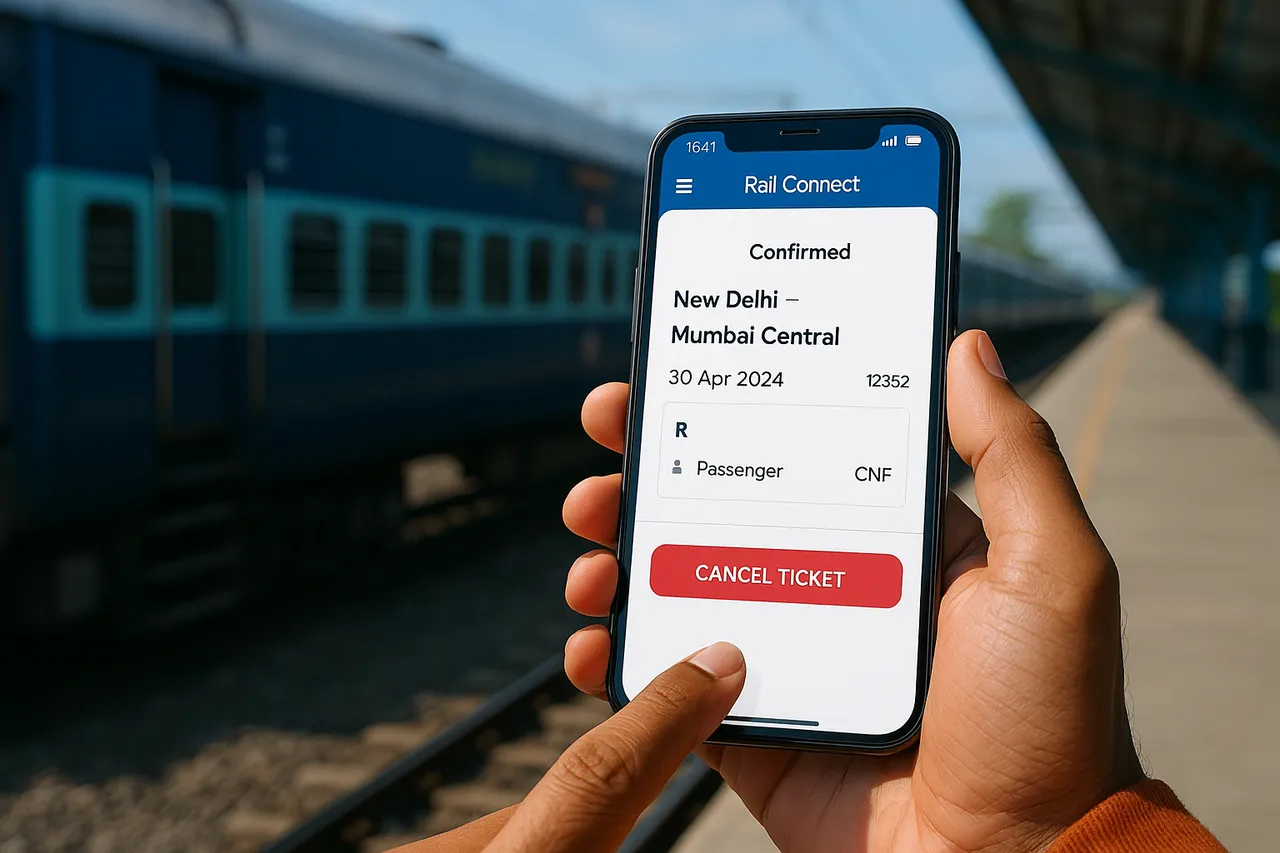
IRCTC Ticket Cancellation Process on the Rail Connect App
This article explains how Indian railway passengers can cancel their IRCTC train tickets using the Rail Connect app. It covers the step-by-step cancellation process, refund rules, and important tips to ensure a smooth experience.
By EasyTrain Team2 June 20264 min read
IRCTC Ticket Cancellation Process on the Rail Connect App
For Indian railway passengers, cancelling a train ticket through the IRCTC Rail Connect app is a convenient and straightforward process. Whether your travel plans have changed or you need to request a refund, the Rail Connect app allows you to manage ticket cancellations efficiently on your smartphone.
Understanding the Basics of IRCTC Ticket Cancellation
Before diving into the cancellation steps, it is important to know some basic points about IRCTC ticket cancellation:
- Eligibility: You can cancel confirmed, RAC, or waitlisted tickets through the app.
- Refund Rules: Refund amounts depend on the timing of cancellation relative to train departure and ticket type.
- Partial Cancellation: Allowed for certain tickets if you want to cancel only some passengers on the booking.
- Cancellation Charges: These vary as per Indian Railways rules and are deducted from the refund.
Step-by-Step Guide to Cancel IRCTC Tickets on Rail Connect App
Follow these steps to cancel your train ticket using the Rail Connect app:
1. Open the Rail Connect App and Log In
Launch the Rail Connect app on your mobile device. Use your IRCTC username and password to log into your account. If you do not have an account, you need to register first.
2. Access the "Booked Tickets" Section
Once logged in, navigate to the Booked Tickets section. This area lists all your current train ticket bookings made through IRCTC.
3. Select the Ticket to Cancel
From the list, select the ticket you want to cancel. Make sure to confirm the booking details such as train number, date of journey, and passenger names.
4. Initiate the Cancellation Process
After selecting the ticket, tap on the Cancel Ticket option. The app will display the ticket details and cancellation charges applicable.
5. Confirm Cancellation
Review the cancellation charges and refund amount. Confirm the cancellation by tapping on the Confirm or Proceed button. Once confirmed, your ticket will be cancelled.
6. Receive Cancellation Confirmation
The app will show a cancellation confirmation message and send a confirmation email or SMS to your registered contact details.
Important Points About Refunds After Cancellation
Refunds for cancelled tickets are processed as per Indian Railways rules and depend on the timing of cancellation:
- Before Chart Preparation: Full refund minus cancellation charges.
- After Chart Preparation: Refund rules may be restricted or no refund for confirmed tickets.
- Waitlisted Tickets: Full refund as these tickets were not confirmed.
- Cancelled Tickets Refund Time: Typically processed back to your payment method within a few working days.
Note that cancellation charges vary depending on when you cancel relative to the scheduled departure time.
How to Cancel Partial Tickets on Rail Connect App
If you booked tickets for multiple passengers and want to cancel tickets for only some of them, the Rail Connect app allows partial cancellation:
- Go to Booked Tickets and select the ticket.
- Choose the Partial Cancellation option.
- Select the passengers whose tickets you want to cancel.
- Confirm cancellation and note the refund details.
Partial cancellation is not allowed for waitlisted tickets or some types of bookings.
Common Issues and Troubleshooting
If you face any issues while cancelling tickets on the Rail Connect app, consider the following tips:
- Ensure your app is updated to the latest version.
- Check your internet connectivity.
- Verify that you are logged into the correct IRCTC account used for booking.
- If cancellation is not allowed, it may be due to chart preparation or ticket status.
- Contact IRCTC customer support if your refund is delayed or there are errors.
Frequently Asked Questions
Can I cancel my train ticket anytime on the Rail Connect app?
You can cancel your ticket anytime before the train departs, but refund eligibility and cancellation charges depend on the time of cancellation relative to train departure.
Is there a refund for waitlisted tickets cancelled on the app?
Yes, waitlisted tickets are fully refundable since they are not confirmed for travel.
How long does it take to receive a refund after cancellation?
Typically, refunds are processed back to your original payment method within a few working days, depending on the payment gateway and bank.
Can I cancel tickets booked through other platforms on the Rail Connect app?
The Rail Connect app only allows cancellation of tickets booked through IRCTC using your login credentials. Tickets booked via third-party agents may require cancellation through those agents.
What if I face an error during cancellation on the app?
Try updating the app, checking your internet connection, and logging in again. If the problem persists, contact IRCTC customer support for assistance.
Conclusion
The IRCTC ticket cancellation process on the Rail Connect app is designed to be user-friendly and efficient for Indian railway passengers. By following the steps outlined above, you can easily cancel your train tickets and understand the refund policies. Always check cancellation charges and timing to avoid surprises, and keep your app updated for the best experience.
irctcrail connect apptrain ticket cancellationindian railwaysticket refund
Get EasyTrain free on Play Store
Check PNR status, track trains live, see seat layout and platform alerts — all without logging in.
Download EasyTrainRelated articles
More in IRCTC Help → IRCTC Help
IRCTC Refund Policy: Understanding the Full Process for Indian Railway Passengers
Learn the complete IRCTC refund policy, including eligibility, cancellation charges, and the step-by-step refund process for Indian railway ticket cancellations.
2 Jun 20264 min read
 IRCTC Help
How to Verify Your New IRCTC Account: A Step-by-Step Guide
Learn how to verify your new IRCTC account with easy steps. Follow this guide to complete your registration and start booking train tickets online hassle-free.
2 Jun 20264 min read
 IRCTC Help
How to Retrieve Your Forgotten IRCTC Username: A Step-by-Step Guide
Forgot your IRCTC username? Learn simple, practical steps to recover your IRCTC login ID quickly and securely. Follow this easy guide for Indian railway passengers.
2 Jun 20263 min read