IRCTC Help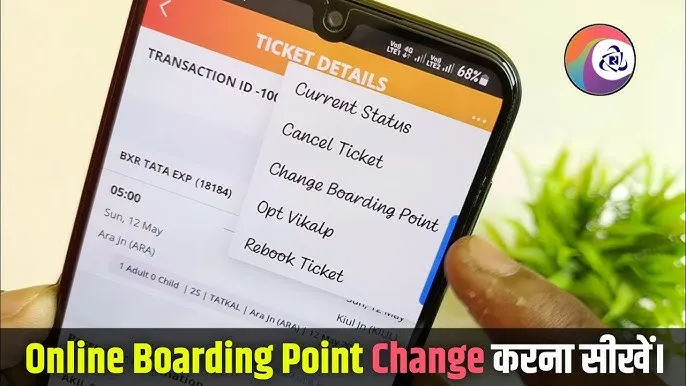
How to Change the Boarding Station in Your IRCTC Ticket Online
This article explains how Indian railway passengers can change the boarding station in their IRCTC ticket online. It covers the process, eligibility, charges, and important points to remember for a hassle-free experience.
By EasyTrain Team2 June 20264 min read
How to Change the Boarding Station in Your IRCTC Ticket Online
Changing the boarding station in your IRCTC ticket can be necessary if your travel plans change or you find a more convenient boarding point. Indian Railways allows passengers to modify their boarding station under certain conditions, making it easier to adjust travel arrangements without canceling and rebooking the ticket. This guide explains how to change your boarding station in your IRCTC ticket online, along with the applicable rules and charges.
Understanding the Boarding Station Change Policy in IRCTC Tickets
Before proceeding with the change, it is important to know the policy regarding boarding station modifications as per Indian Railways and IRCTC rules.
- Eligibility: You can change the boarding station only if the new boarding point lies between the original boarding station and the destination station on the train's route.
- Time Limit: Typically, changes must be made before the train's departure from the original boarding station. After the train departs, changes are not permitted.
- Charges: A nominal fee is usually charged for changing the boarding station. The exact charge depends on Indian Railways' current rules and may vary.
- Ticket Type: This option is generally available for confirmed tickets booked through IRCTC and may not be applicable for waitlisted or RAC tickets.
Step-by-Step Guide to Change Your Boarding Station Online on IRCTC
Follow these steps to change the boarding station in your IRCTC ticket online through the official IRCTC website or mobile app.
1. Log in to Your IRCTC Account
Visit the official IRCTC website (www.irctc.co.in) or open the IRCTC Rail Connect mobile app. Enter your username and password to log in securely.
2. Go to Your Booked Tickets
After logging in, navigate to the Booked Tickets section under your profile. This section lists all your confirmed, RAC, and waitlisted tickets.
3. Select the Ticket for Boarding Station Change
Choose the confirmed ticket for which you want to change the boarding station. Click on the option that says Change Boarding Point or similar, if available.
4. Choose the New Boarding Station
A list or dropdown menu will show stations between your original boarding station and destination. Select the new boarding station from this list.
5. Review and Confirm the Change
Check the details carefully, including any additional charges that will apply. Confirm the change by proceeding with payment if required.
6. Receive Updated Ticket
Once the change is successful, you will receive an updated e-ticket reflecting the new boarding station. Save or print this updated ticket for your journey.
Important Points to Remember When Changing Boarding Station
- You cannot change the boarding station to a point before your original boarding station or beyond your destination.
- Changes must be made before the train departs from your original boarding station.
- Keep your updated ticket handy to avoid confusion during ticket checking.
- Changes are typically not allowed for waitlisted or RAC tickets.
- Always verify the new boarding station is on the train’s route and timing suits your travel plan.
What to Do If You Cannot Change Boarding Station Online?
If the online option is not available, you may try the following:
- Visit the nearest railway reservation counter with your ticket details and request boarding station change. Availability depends on railway staff discretion and rules.
- Contact IRCTC customer care for guidance on your specific ticket and situation.
- Consider canceling and rebooking the ticket if changes are not permitted, keeping in mind cancellation charges and refund rules.
Frequently Asked Questions
Can I change my boarding station after the train has departed?
No, boarding station changes must be done before the train leaves the original boarding station.
Is there any charge for changing the boarding station in IRCTC tickets?
Yes, a nominal fee is typically charged for boarding station changes as per Indian Railways rules.
Can I change the boarding station in a waitlisted or RAC ticket?
Generally, boarding station changes are not allowed for waitlisted or RAC tickets.
How will I get the updated ticket after changing the boarding station?
After successful change, an updated e-ticket will be sent to your registered email or available for download in your IRCTC account.
Is it possible to change the boarding station multiple times?
Typically, multiple changes are not allowed. Confirm with IRCTC rules or customer care for specific cases.
What if my new boarding station is not listed during the change process?
You can only select stations between your original boarding point and destination. If your desired station is not listed, it may not be eligible for boarding station change.
Conclusion
Changing the boarding station in your IRCTC ticket online is a convenient option for Indian railway passengers to adjust their travel plans. By following the correct procedure and understanding the rules, you can make this change smoothly and avoid unnecessary cancellations or complications. Always make changes well before the train's departure and keep your updated ticket handy for a hassle-free journey.
irctcboarding station changeindian railwaystrain ticketonline booking
Get EasyTrain free on Play Store
Check PNR status, track trains live, see seat layout and platform alerts — all without logging in.
Download EasyTrainRelated articles
More in IRCTC Help →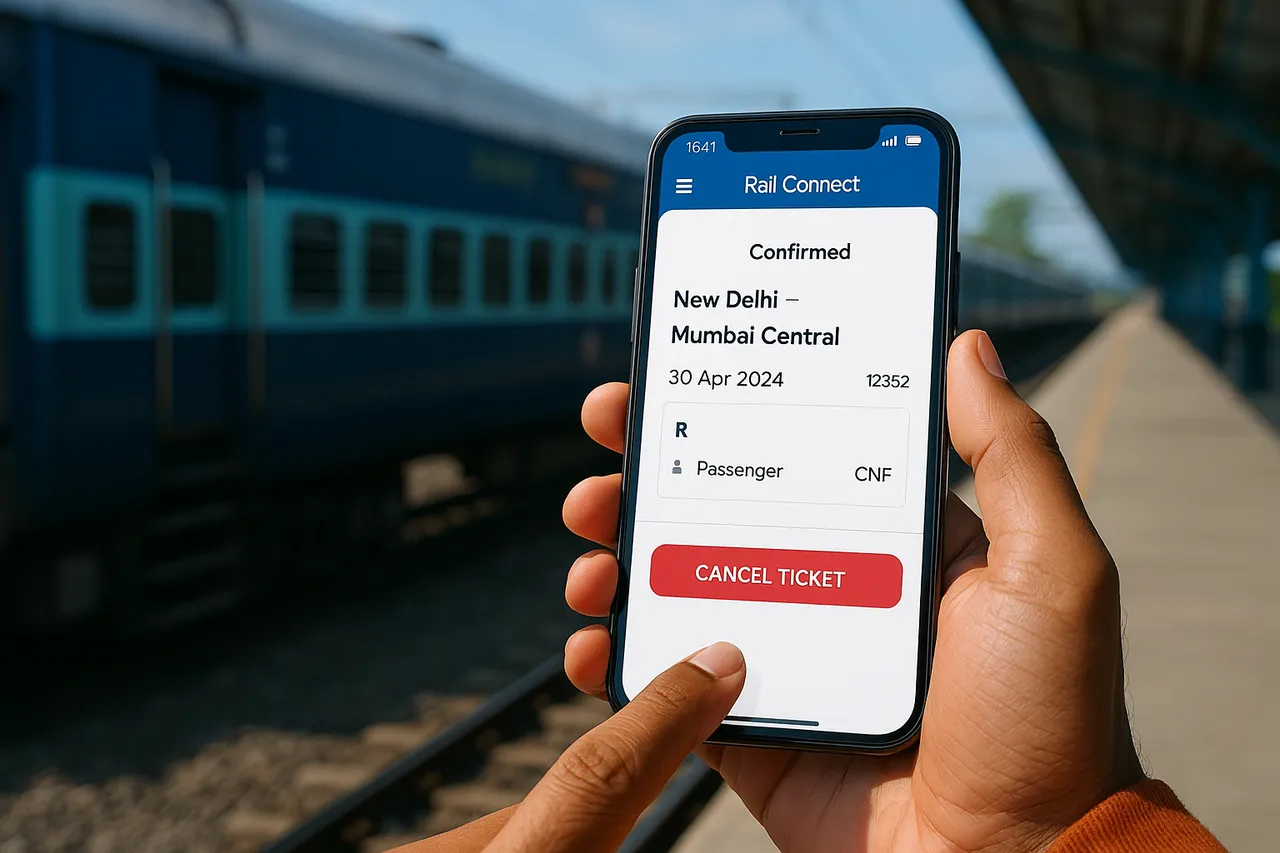 IRCTC Help
IRCTC Ticket Cancellation Process on the Rail Connect App
Learn the step-by-step IRCTC ticket cancellation process on the Rail Connect app for Indian railway passengers. Understand rules, refunds, and important tips.
2 Jun 20264 min read
 IRCTC Help
IRCTC Refund Policy: Understanding the Full Process for Indian Railway Passengers
Learn the complete IRCTC refund policy, including eligibility, cancellation charges, and the step-by-step refund process for Indian railway ticket cancellations.
2 Jun 20264 min read
 IRCTC Help
How to Verify Your New IRCTC Account: A Step-by-Step Guide
Learn how to verify your new IRCTC account with easy steps. Follow this guide to complete your registration and start booking train tickets online hassle-free.
2 Jun 20264 min read